DACHA PLUS
HOMEBUILDINGBUSINESS AUTOMATIONVITARUM × DACHA PLUS

From the first
hello to a home
you can explore.

A connected digital system for Dacha Plus and Karkas Plus. Enquiries, sales, home design and documents come together in one customer journey.

CLIENTDacha Plus / Karkas Plus
INDUSTRYTimber-frame homebuilding
WHAT WE BUILTCRM · AI · 2D/3D · PROPOSALS · DOCUMENTS · BI
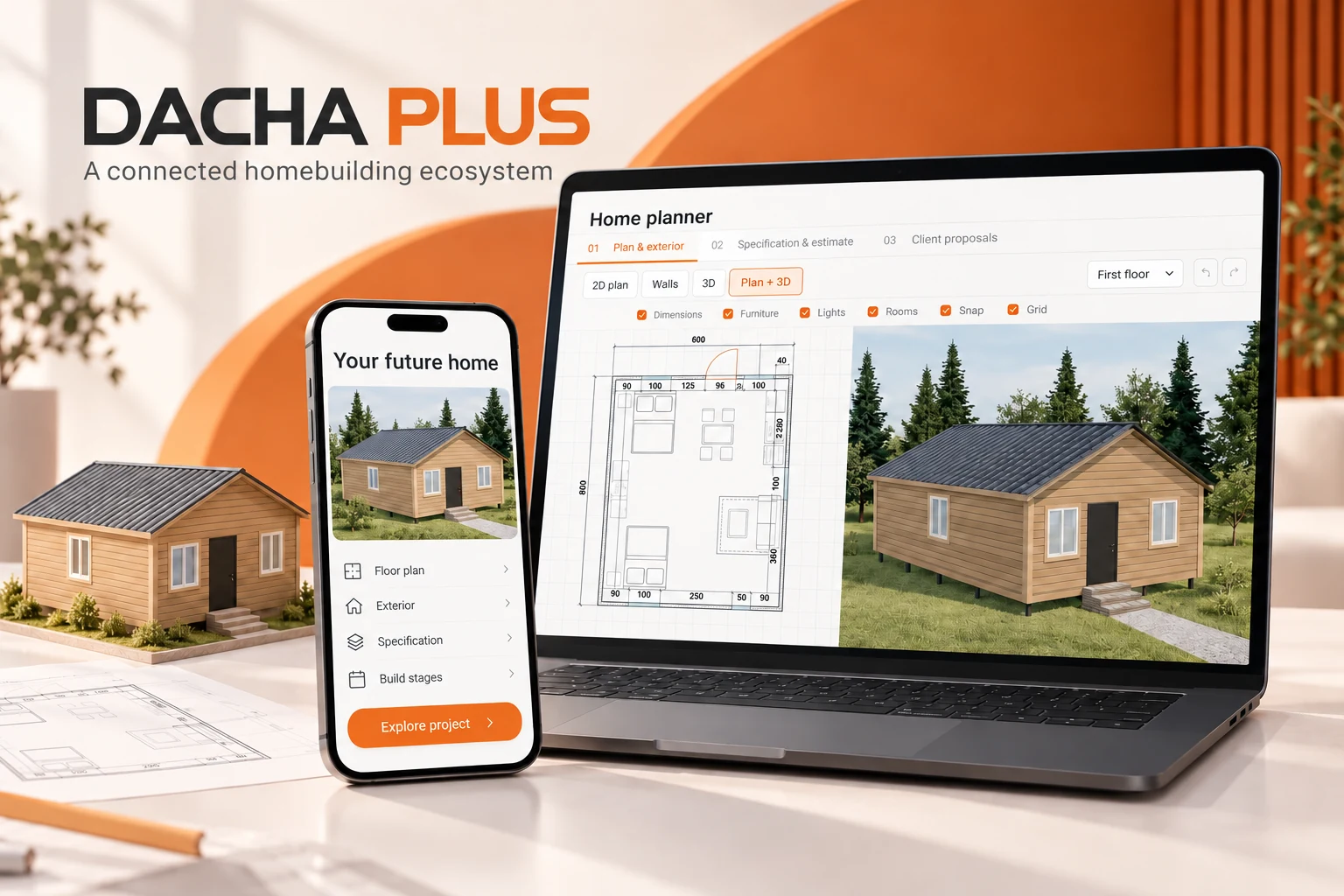
Staged mockup: a home planner on a laptop and a proposal on a phone
Staged mockup based on the projectReal product screens follow below
12–24×faster proposal preparationClient estimate: 2 hours → 5–10 minutes
6 408conversations in the analysed module archiveArchive snapshot: 17 September 2026
7 567AI messages recorded in the conversation logAugust–17 September 2026
69active items in the shared product catalogVerified in the live module on 24 October 2026
01 / THE CHALLENGE

A complex product.
A fragmented journey.

Selling a home means helping someone understand dimensions, layouts, insulation, materials and price. A lead card alone cannot do that.

THE STARTING POINT

Too many manual handovers

  • Enquiries arrive through several channels, with context scattered between them.
  • Layouts, packages, estimates and proposal copy live in separate places.
  • Managers repeatedly copy information into proposals and documents.
  • Leaders need visibility into both activity and deal progress.
OUR BRIEF

One connected system

  • Preserve the source, conversation history and next customer action.
  • Connect the house, estimate, visualization and proposal.
  • Prepare documents from the agreed project data.
  • Give the team a clear workflow and shared rules.
02 / THE ECOSYSTEM

From a message
to an agreed home.

We connected the customer experience with the company’s internal work. Essential information follows the deal from first contact to contract preparation. Select a stage.

Every enquiry starts a project.

A message or website form enters the shared process. The system retains its source, conversation history and the customer’s requirements.

CRMMessagingAI assistantsTelephonyHome plannerCalculator3DProposalsContractsProduct catalogOffice displaysAnalytics
03 / CUSTOM CRM

A workspace
for the sales team.

We built CRM around the timber-home sales process. The pipeline, tasks, inbox, calls and project information come together in one interface.

DACHA PLUS · ACTUAL PRODUCT
Actual CRM interface. Names, contacts and task descriptions are anonymised; English labels are a presentation adaptation.Product screenshot
01

A clear pipeline

Stages follow the actual sales process: introduction, contact, qualification, proposal, discussion and contract. Each deal has an owner and next action.

02

The manager’s day

Work lists and daily planning surface tasks, due dates, outstanding replies and enquiries requiring attention.

03

Deal context

Conversations, customer requirements, the selected home, proposals and documents connect to the deal instead of being assembled again.

04 / MESSAGING

Customers use
the channel they prefer.

The integration layer brings conversations and lead intake into a shared workflow. Source and message history support the entire project, beyond the first reply.

AvitoListing → conversation
MAXMessenger → project
TelegramMessages & context
WhatsAppA familiar customer channel
VKVKCommunity messages
SHARED CONTEXT → CRM → PROJECT

Channels use connected accounts and provider APIs. An implemented integration is distinct from uninterrupted provider availability; October diagnostics, for example, recorded Avito API restrictions.

05 / CONVERSATIONAL AI

A conversation
that moves the
project forward.

We configured the AI assistant around the company’s domain: home use, seasonality, dimensions, land, packages and next steps. Conversation context and a knowledge base support more relevant responses.

The workflows account for pauses, follow-ups and human handover. Conversation history and collected requirements stay in the system. The knowledge base, prompts and rules can be developed further.

7 567AI messages in August–17 September 2026, confirmed by the archived log.

The conversation is an illustrative example of the workflow. It is not a customer quote or evidence that the AI is indistinguishable from a person.

ILLUSTRATIVE WORKFLOW
21:51▰ ▮
Dacha Plus · assistantDemonstration conversation
Hello! We need a 6×8 m holiday home with two bedrooms.
Hello! Will you use the home in winter as well, or only during the warmer months?
In winter too. We already have a plot.
Then an insulated package makes sense. Where is the plot? This helps us account for delivery.
Moscow region. Can we see a floor plan?
Yes, a two-bedroom layout can be prepared. I’ll pass your requirements to the designer.
06 / VOICE & TELEPHONY

Calls belong
in the same history.

Telephony connects to CRM: calls, recordings, transcripts and contact outcomes sit alongside the deal. AI workflows support requirement discovery and handover to a designer.

CALLTRANSCRIPTDEAL RECORD

Schedules and handling rules are configured separately, including workflows for enquiries outside team hours. Recordings and statuses make call outcomes and technical failures reviewable. Availability depends on provider, routing and schedule; this case does not claim uninterrupted handling of every call.

07 / HOME PLANNER

From requirements
to a concrete design.

We developed a custom home planning tool. The floor plan and spatial model share one screen, making design discussions tangible.

DACHA PLUS · ACTUAL PRODUCT
Actual home planner: a synchronized floor plan and 3D view. English labels are a presentation adaptation.Product screenshot
01

Geometry & space

Exterior walls, partitions, windows, doors, rooms, floors and dimensions. Review the full plan or focus on a selected object.

02

The details of a home

Roofs, foundations, floors, extensions and terraces. Furniture and surroundings help communicate scale and possible use.

03

The next step

Move from design to package and estimate, prepare a proposal and use the project in contract preparation. Revisions keep changes traceable.

08 / SPECIFICATION & ESTIMATE

Layout.
Materials.
One calculation.

We connected house geometry to the calculator and product package. The selected option defines the specification, and the calculation supports the proposal. Managers can explain what is included and how packages differ.

Each catalog item can link to separate designs and package calculations. Customer projects are separate from templates, so catalog edits do not silently rewrite an existing proposal.

ILLUSTRATING THE LOGIC

One home. Different uses.

Design6 × 8 m
Insulation150 mm
UseWinter visits
Calculation basisPlan & package
SELECTED PACKAGEWinter package

This example illustrates linked parameters. The exact estimate depends on the design, specification and agreed terms.

09 / SPATIAL DESIGN

A home you can
look inside.

The product includes a 3D home view, camera angles, floors and roof controls. This case includes an interactive explainer: rotate the house and separate its structural layers.

Drag the model to rotateINTERACTIVE EXPLAINER
3D home
Exploded
An illustrative explainer for this case study, separate from production designs and engineering calculations.WebGL / 3D

Outside

Review the shape, roof, windows and entrance.

Inside

Understand the layout and room proportions.

In stages

Explain the structure and assembly sequence.

On a phone

Open the customer presentation and explore.

10 / INTERACTIVE PROPOSALS

A proposal that
brings the home to life.

Instead of scattered attachments, the customer receives a personal page. Visuals, a floor plan, specification, price and stages form one coherent presentation.

Actual customer proposal page. Personal information is hidden; the English version adapts the visible labels and copy.Product screenshot
01

The project comes first

Visuals and the floor plan connect to the selected home. The interactive view supports a more informed discussion.

02

Specification & terms

The package, estimate, validity period and payment stages appear alongside the design, ready for review before contract preparation.

03

Controlled publishing

Editing, preview, history and publishing separate internal preparation from the customer version. Proposal views are tracked separately.

11 / THE MOBILE EXPERIENCE

A complete project.
On a small screen.

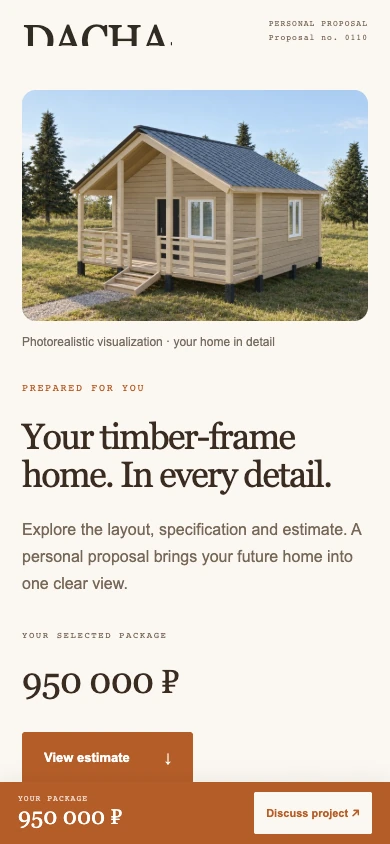
People often choose a home on their phone. We focused on structure, generous visuals and a clear next step, from the first impression to the plan, package and discussion.

Customers do not need access to the internal CRM. The manager sends a prepared proposal that they can review when convenient.

The phone frame contains an actual mobile proposal screenshot with personal data removed. The English image is a localized presentation adaptation.

ACTUAL PROPOSAL · MOBILE VIEW
Actual mobile proposal interface
12 / SPATIAL VISUALIZATION

Picture the home
on your own land.

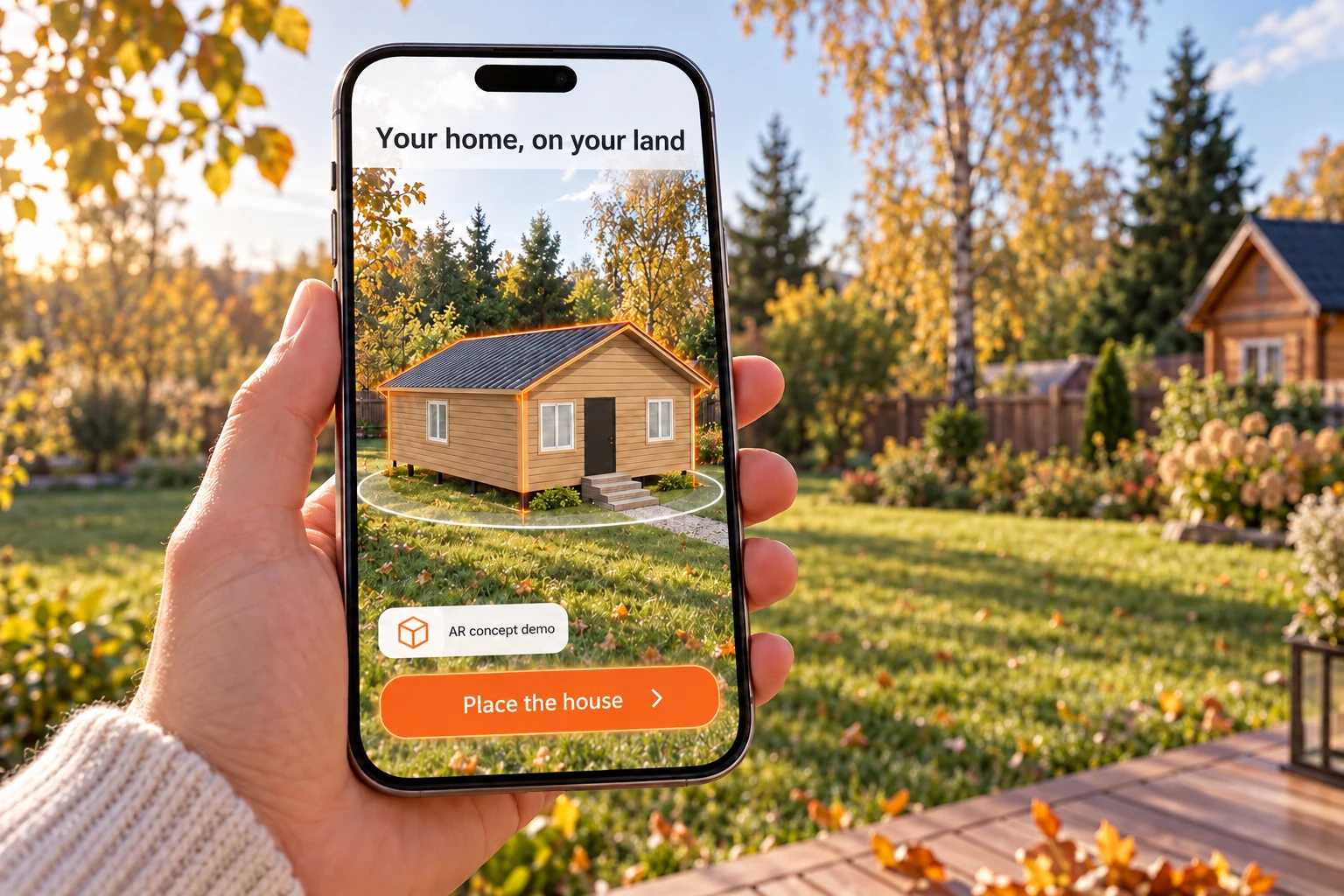
The next step is seeing the home in the context of a real space. The 3D module includes camera and AR workflows for compatible devices.

Illustration of an AR workflow: a virtual home placed on a plot through a phone camera
An illustrative scenario created for this case studyNot a field-test photograph

Scale and placement become easier to understand.

The home can be explored on a plot or as a tabletop model. Available modes depend on the browser, operating system and AR support. Server and browser checks have been performed; universal native AR operation on physical phones has not been established.

13 / DOCUMENT GENERATION

Agree the home.
Prepare the documents.

We built a contract module connected to projects and proposals. It uses house, estimate and package information, helps check required fields and generates the document set.

  • Word and PDF documents, with ZIP packaging.
  • Revisions, signed files and supporting material in the record.
  • Numeric and written amounts derive from the same field.
  • Roles and validation support document preparation.

AI does not alter legal clauses. An uploaded receipt is supporting material, not automatic evidence that funds were received.

DACHA PLUS

Homebuilding
agreement

AGREED PROJECT
PDFDOCXZIP
DACHA PLUS · ACTUAL PRODUCT
Actual contract generator with personal fields hidden. English labels are a presentation adaptation.Product screenshot
14 / THE PRODUCT CATALOG

A shared source
of product information.

The catalog connects item codes, photos, packages, descriptions and projects. It provides a shared foundation for repeatable sales work and calculations.

DACHA PLUS · ACTUAL PRODUCT
Actual shared product catalog: 69 active items. Linked 3D and calculation readiness is shown separately. English labels are localized for this case.Product screenshot
01

Items & packages

Home variants and their specifications share one place. Standardizing descriptions preserves technical characteristics.

02

Media & design

Photos, layouts and linked designs sit beside the item. Calculation readiness and discrepancies remain visible.

03

Updates with context

Shared product rules help the team discuss the same specification instead of different price-list copies.

15 / THE PUBLIC WEBSITE

The website extends
the same system.

The new Karkas Plus website presents the catalog, completed homes, layouts, packages and building process. Forms send enquiries into the shared workflow.

DACHA PLUS · ACTUAL PRODUCT
Actual karkasplyus.ru website. The English screenshot localizes the visible interface for this presentation.Product screenshot
01

Real project material

The customer website uses the company’s real photos and video. Illustrations are identified separately.

02

Choosing a design

The catalog, filters, favourites and comparisons help turn general interest into a specific home.

03

Reliable intake

An enquiry is saved before confirmation. Retries avoid accidental duplicates, and CRM delivery is tracked.

16 / OFFICE DISPLAYS

The team sees
the bigger picture.

We created two display modes: Sales and Team Pulse. Leaders configure participants, periods, targets and display rules.

DACHA PLUS · ACTUAL PRODUCT
Actual Team Pulse display. Staff names are anonymised; English labels are a presentation adaptation.Product screenshot

Sales

Reporting periods, team results and individual or shared targets. Closed-deal values remain distinct from cash receipts.

Team Pulse

Configurable activity indicators give the team a shared basis for discussing work.

Data quality

An error retains the last confirmed snapshot and shows a warning. Customer contacts and messages are not sent to office displays.

17 / TEAM MANAGEMENT

Maintain momentum.
See the next step.

We connected tasks, due-date visibility and shared results. The team gets clear rules; leaders can see where progress has stalled.

TEAM PULSEDEMO
Team 01
01
Team 02
02
Team 03
03

An illustrative animation of the display concept. This is not a real employee ranking or a measured productivity uplift.

  • Tasks and deadlines connect to deals.
  • Individual and team targets are configured explicitly.
  • Activity indicators are separate from contracts and payments.
  • Data and channel issues are visible in diagnostics.
18 / ANALYTICS & CONVERSION

Understand the funnel.
Act on the gaps.

We analysed CRM exports, stage history, conversations, advertising spend and web analytics. The diagnostic work identified where a new process was needed, from first contact to project discussion.

Lead created
15,026
Proposal stage
3,604
Consultation
971
Meeting held
280
Won CRM status
161

Historical funnel by reached stage. Snapshot: 17 September 2026; enquiries from November 2025. This is diagnostic context, not the implementation outcome.

Response speed is only the beginning.

In the historical snapshot, 24% of enquiries reached the proposal stage and 1.86% reached a held meeting. We therefore connected communication, next actions, design and proposals, making progression observable and manageable.

24%reached proposal stage
1.86%reached a held meeting
The archive documents the funnel and its gaps. It does not establish a causal sales uplift after implementation. CPL reduction and conversion uplift are not claimed without comparable spend, traffic sources and mature before-and-after cohorts.
19 / PREPARATION SPEED

Two hours.
Now 5–10 minutes.

The client estimates that proposal preparation fell from two hours to 5–10 minutes. Connecting the design, package, calculation and presentation reduced repeated data entry.

12–24×

faster preparation of one proposal

Before
120 min
Now
5–10 min

Basis: client estimate supplied on 24 October 2026, rather than instrumented timing. Speed ratio: 120 ÷ 10 and 120 ÷ 5. Estimated time saved per proposal: 110–115 minutes.

36,7–38,3hours

of estimated working time saved

Scenario calculation based on the client estimate: proposals × 110–115 minutes ÷ 60. It is not measured payroll savings or a sales forecast.

20 / THE EVIDENCE

Every number has
a clear basis.

This case shows the implemented system’s scope and design. Recorded data, client estimates and demonstration material are identified separately.

MEASUREWHAT IS SUPPORTEDBASIS
Proposal preparation2 hours → 5–10 minutes, implying a 12–24× speed ratio.Client estimate
Conversations6,408 conversations; 7,567 AI-authored messages in August–17 September.Archived records
Product catalog69 active items. 3D and calculation readiness is checked separately.Live module
Funnel15,026 records in the historical snapshot. Analysis uses stage history, beyond the current status.Archived diagnostics
FunctionalityCRM, planner, proposals, contracts, catalog and office displays are evidenced by interfaces and source code.Module verification
Where the figures come from

The aggregate analysis uses the 17 September 2026 amoCRM export, stage history, module conversation table and monthly message-author log. Active catalog items were rechecked in the live module on 24 October 2026. Raw exports contain personal information and are not published.

Real interfaces and illustrations

CRM, planner, proposal, catalog and website images are screenshots of actual interfaces. Names, contact details and sensitive text are anonymised. English screenshots localize the case presentation and do not imply that the internal product has launched in English. The cover, AR scene and office setting are illustrations. The conversation and 3D explainer are demonstrations.

What the AI evidence establishes

The implementation includes language-model integration, conversation context, a knowledge base, prompts and business rules. AI message counts are log entries, not autonomously closed sales. This case does not claim proprietary model-weight training or human indistinguishability.

Interpreting conversion and money

A won CRM status and its budget do not prove payment or profit. Different traffic sources and periods are not treated as evidence of automation impact. Measuring uplift requires consistent event definitions, comparable channels and spend, and sufficient cohort maturity.

Technical boundaries

External APIs may restrict messaging and calls. Telephony behavior depends on configuration and provider. AR validation across physical devices remains incomplete. A catalog item does not imply that every package already has a linked, ready 3D model and estimate.

Open the anonymised evidence summary ↗

21 / ARCHITECTURE & RELIABILITY

One product.
Connected layers.

Behind the visuals are processes, data and integrations. We designed the system so that interfaces support the work and outcomes remain reviewable.

Customer layer

Website, forms, messaging and personal proposals. Customers see their project and next step.

Operations layer

CRM, tasks, inbox, planner, calculation, catalog and documents share connected data.

Control & development

Roles, revisions, logs, integration diagnostics, analytics and office displays.

Roles & access

Internal operations are separate from the customer view.

Revisions

Project and document changes remain traceable.

Lead delivery

Persistence and retries support recovery from network failures.

Observability

Channel and background-process issues appear in diagnostics.

22 / END-TO-END DELIVERY

System-wide thinking.
Down to the details.

From analysing the original process to connected software modules. The project combines development, interface design, integrations, domain logic and data verification.

01

Investigated

The funnel, sources, conversations, sales work, materials and home requirements.

02

Designed

A connected customer journey across enquiries, projects, proposals and contracts.

03

Built

Operational modules, interfaces, integrations and the customer’s project presentation.

04

Verified

Data, roles, calculation links, user workflows and diagnostic limitations.

VITARUM × YOUR BUSINESS

Bring your company’s
processes into
one connected system.

Tell us where your team loses time and context. We’ll examine the customer journey and design around your product, people and working rules.

↑